



Hogwarts Legacy Accessibility Features Revealed - News
by William D'Angelo , posted on 15 January 2023 / 4,903 Views
Publisher Warner Bros. Games and developer Avalanche Software this month revealed the PC specifications for the open-world action RPG, Hogwarts Legacy. The developer has now revealed the full list of accessibility features.
Hogwarts Legacy will launch for the PlayStation 5, Xbox Series X|S, and PC on February 10, 2023, for the PlayStation 4 and Xbox One on April 4, and for the Nintendo Switch on July 25.
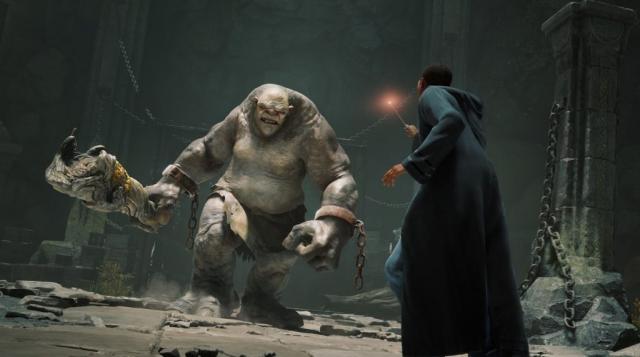
Check out the full list of accessibility features below:
Visual
Text-to-Speech
Narration for menu items is available in all supported languages.
All players are initially guided towards the Text-to-Speech feature on the first launch, allowing for the most complete customization of their experience from the start. The volume and voice of the menu reader narration can also be customized.
Colorblind Modes
Colorblind pre-set modes edit most user interface (UI) and most heads-up display (HUD) elements that might not be accessible to all in their original colors for players that may need them to be tailored to Protanopia (Red-Green), Deuteranopia (Red-Green), or Tritanopia (Yellow-Blue).
Display Settings
Brightness can be adjusted at any time.
Motion Blur, chromatic aberration, depth of field, and film grain can be toggled on and off.
Text Scaling
An option is offered to scale the majority of in-game text to a larger, easier-to-read, size.
High Contrast Text
An option that sets the background of text to pure black or white, depending on the screen, to be easier to read.
High Contrast Gameplay
Turns gameplay environment to grayscale with key elements such as enemies, allies, and elements to high contrast colors.
Camera Shake
Players can set the camera shake intensity from 100% to 0%.
Screen Magnifier Compatibility
Players can use PlayStation Zoom and Xbox Magnifier whenever needed.
Related links:
- PlayStation Support - Accessibility Features - PlayStation Zoom
- Xbox Support - How to Use Magnifier on your Xbox console
Auditory
Separate Volume Controls
Individual controls are available to the players to configure:
- Music
- Sound Effects
- Dialogue
Text-to-Speech volume can be customized under the accessibility tab.
Subtitles
Subtitles are turned on by default, Speaker indicators are tied to important characters lines. Subtitle size scales with UI text adjustments.
Spatial Audio
The game supports Spatial Audio for varying speaker setups.
Audio Visualizer
Key sound effects can be visually displayed on a wheel around the Avatar during gameplay to assist players who might be d/Deaf or hard of hearing. A Legend is available for the icons displayed under "Audio Visualizer Icon Key" in Accessibility Options. The Icon size and transparency can be customized.
Motor
Aim Mode
Aiming can be alternated between hold and toggle.
Invert Axis
Camera axis can be inverted independently. Flight controls for broom flight can also be inverted.
Sticks Swap
Sticks functionality can be swapped, with the default being the Left Stick for movement and the Right Stick for camera controls while aiming.
Sensitivity
The sensitivity of the cursor, aiming and camera can be adjusted independently. Camera and Aiming accelerations can be tweaked, as well as Camera Deadzone.
Follow Camera Speed
The speed at which the camera turns to face the direction in which the avatar is going can be tweaked
PS5 Exclusive – Motion Sensor Function
Allows the player to use the gyro functionality of the DualSense controller to control flight while on a broom or mount.
Cognitive
Difficulty Options
Four difficulty options are available to the player, affecting both combat and puzzle difficulty. At the Story difficulty, spell learning minigames requiring precise movement cannot fail, and puzzles will not be time sensitive. Difficulty can be changed at any time during normal gameplay.
Tutorials
Tutorials during the First Time User Experience introduce players to the different mechanics of Hogwarts Legacy. Most tutorials remain on screen until dismissed by player Input.
Objective Reminders and Guidance
Quests are organized in the menu in different sub-categories. The player can be guided to those objectives with in-gameplay, lore-friendly guidance. Minimap is always displayed, with the trail to the next tracked objective visible while on foot.
General
Settings Tooltips
All settings are accompanied by tooltips to inform the player of what is affected.
Autosaving and Manual Saves
Hogwarts Legacy includes an autosave feature, which saves progress at key moments during gameplay. Players can create save files as well.
A life-long and avid gamer, William D'Angelo was first introduced to VGChartz in 2007. After years of supporting the site, he was brought on in 2010 as a junior analyst, working his way up to lead analyst in 2012 and taking over the hardware estimates in 2017. He has expanded his involvement in the gaming community by producing content on his own YouTube channel and Twitch channel. You can contact the author on Twitter @TrunksWD.