

Xbox November Update Adds Pre-Loading to Game Pass, Optimized for X|S Badges, More - News
by William D'Angelo , posted on 01 December 2020 / 1,568 Views
Microsoft has begun rolling out the November update for Xbox consoles - Xbox Series X|S and Xbox One - that add several new features.
The November update adds six new dynamic backgrounds for the Xbox Series X|S, adds a tag to identify which games are using Auto GDR for the next-generation consoles, Optimized for Xbox Series X|S badge in the games library, and more.

Read the Xbox Wire post on the November update below:
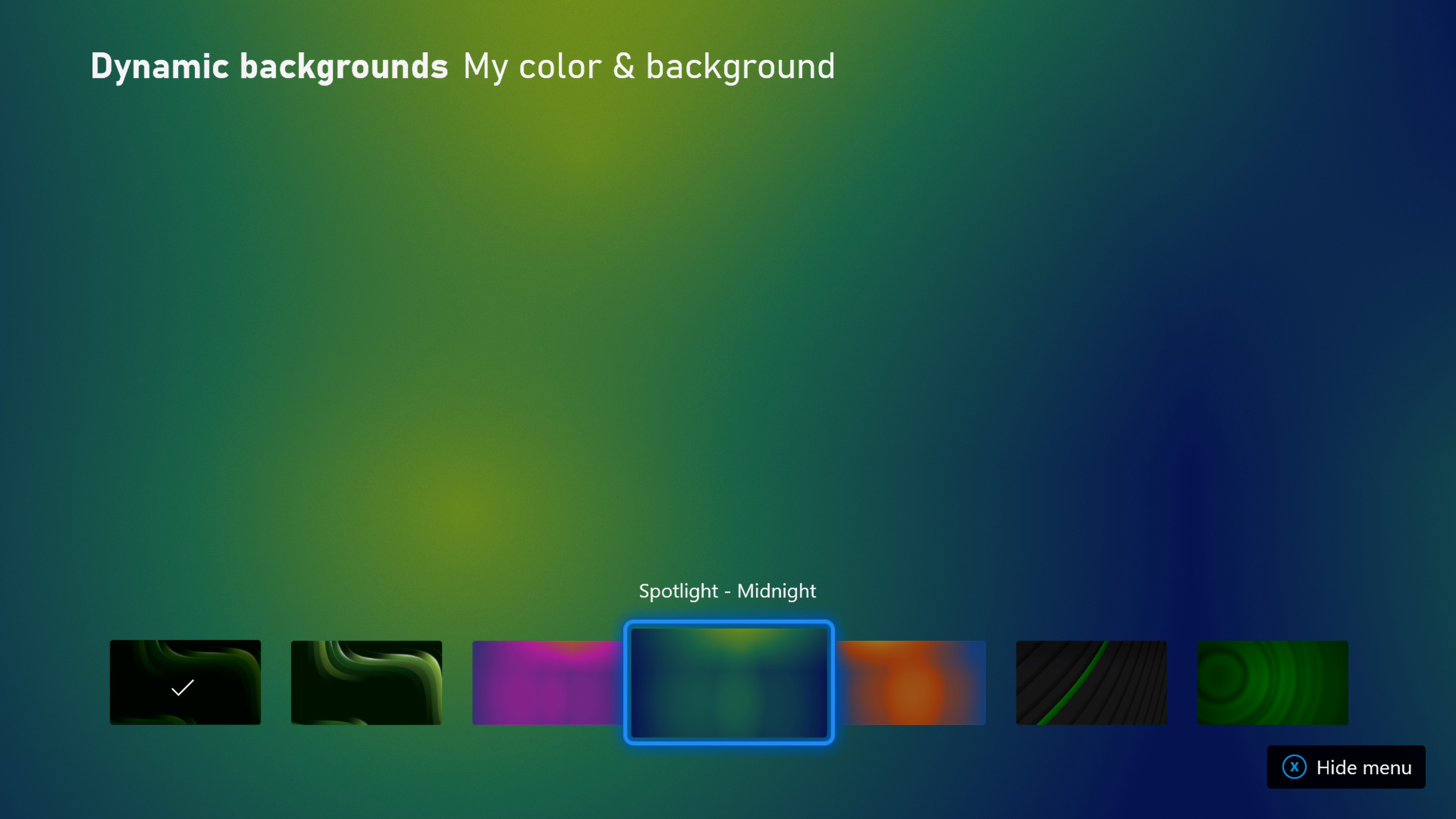
Personalize your Xbox Series X|S with new dynamic background designs
Dynamic backgrounds are a new feature for Xbox Series X|S, giving gamers the ability to customize their home screen with motion and color. This update adds six new options, including homages to previous generations of Xbox consoles and others based on popular profile themes. Initial fan feedback on the feature has been very positive, and we’re excited to explore additional styles, colors, and designs. You can expect the team to continue adding new dynamic backgrounds in future Xbox console updates!
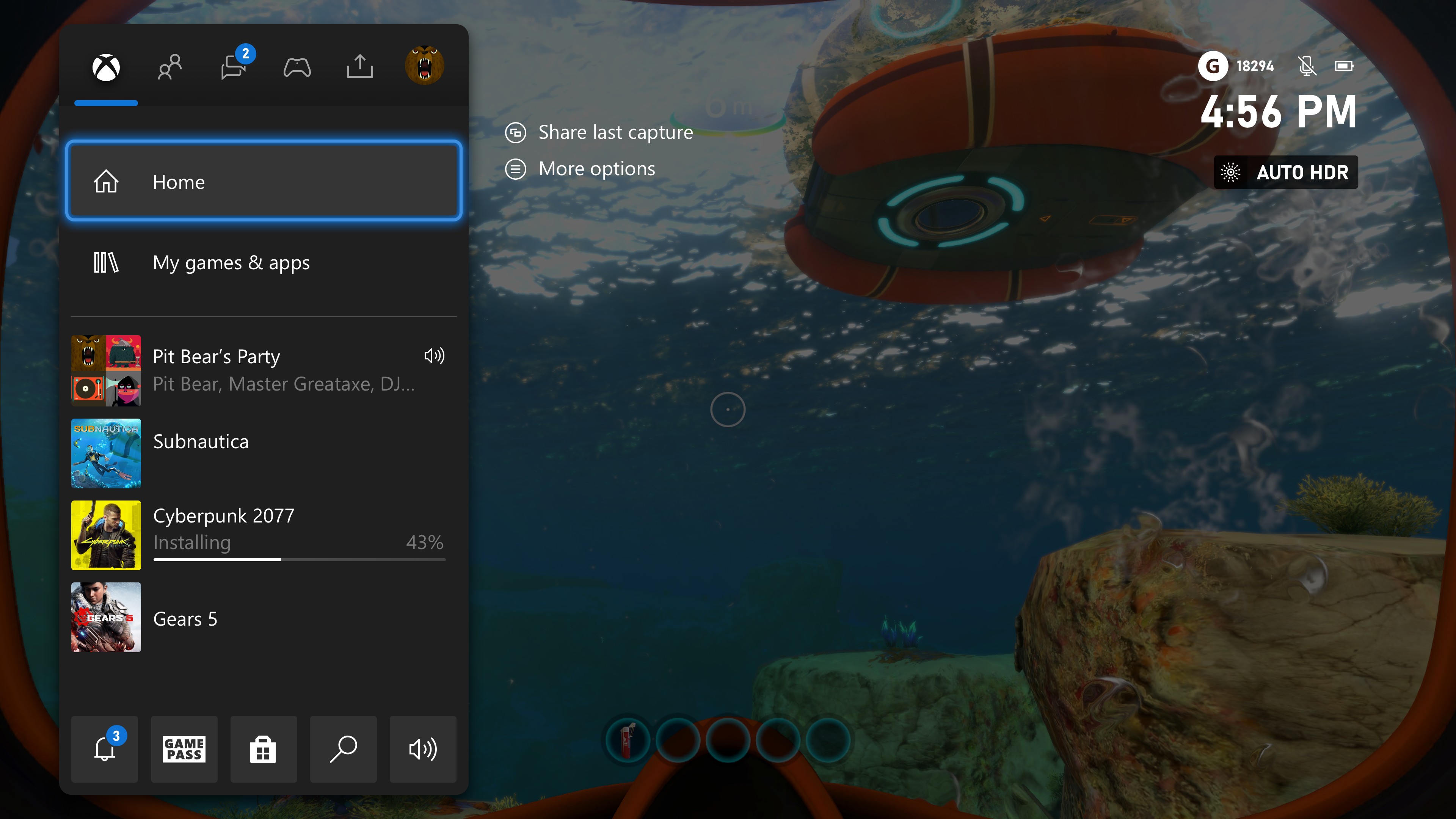
Identify which games are using Auto HDR with new tech tags
Xbox Series X|S is the best place to play thousands of games from across four generations of Xbox. Besides decreased load times and improved frame rates, Xbox Series X|S customers enjoy improved visual quality with a feature called Auto HDR. When the Auto HDR setting is turned on in your console, it can improve the visual quality of a game without changing its overall look with no additional work from the developer. When you open the guide during a game with Auto HDR running, you’ll see a new tag to let you know the game is benefiting from this feature.
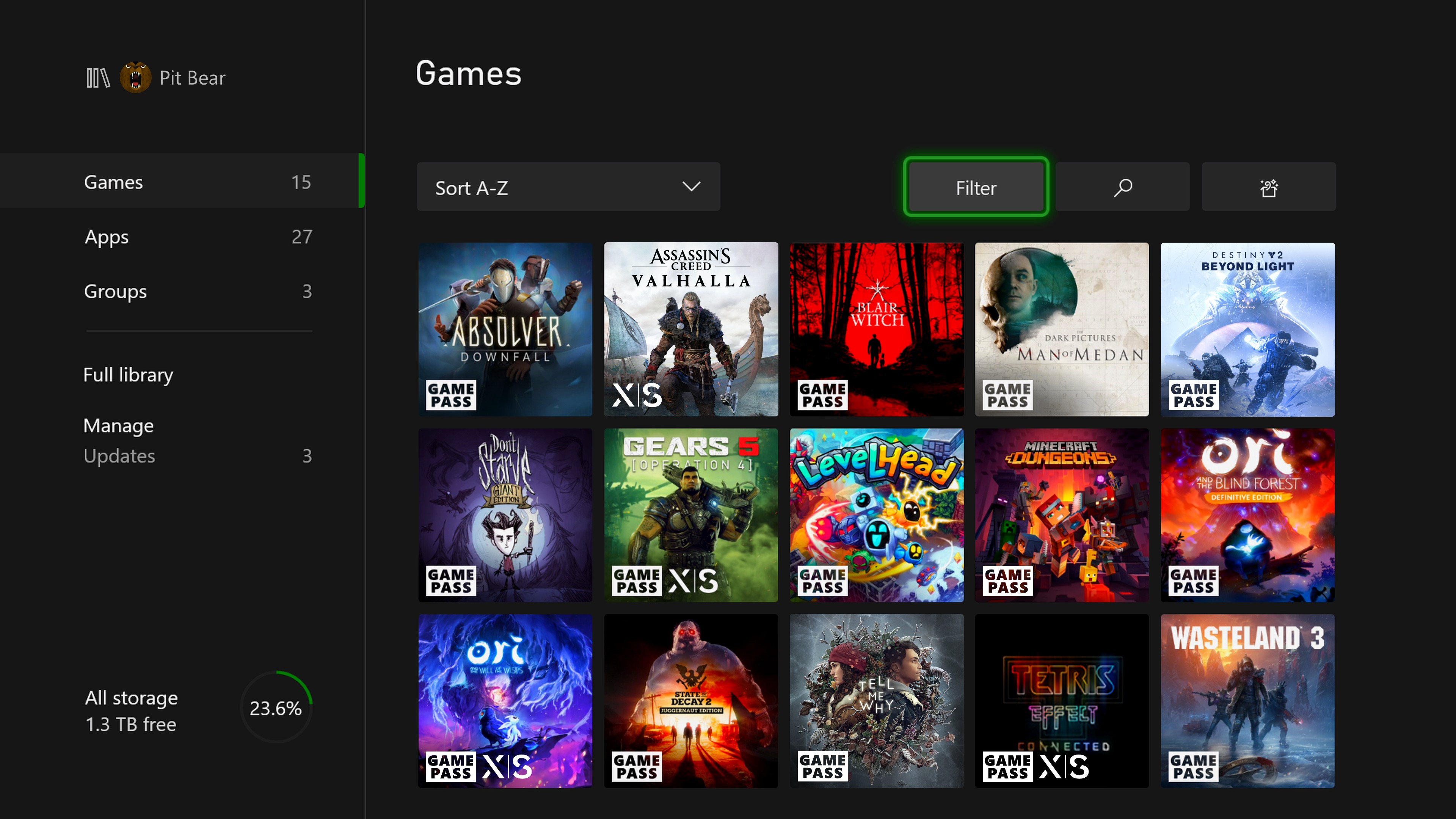
“Optimized for Series X|S” badges let you know which games are optimized
Xbox launched over 30 games fully optimized for Series X|S, including Assassins Creed: Valhalla, Yakuza: Like a Dragon, and The Falconeer. Many of your favorite Xbox One games – including Gears 5, Forza Horizon 4, and Ori and the Will of the Wisps – have released updates to take advantage of the increased performance of Xbox Series X|S. To make it easier to see which of your games have been optimized, we’ve added an “X|S” badge to their tiles in My Games and Apps, in both the Games and Full Library views. You can also use the Filter button to see only “Optimized for Xbox Series X|S” games.
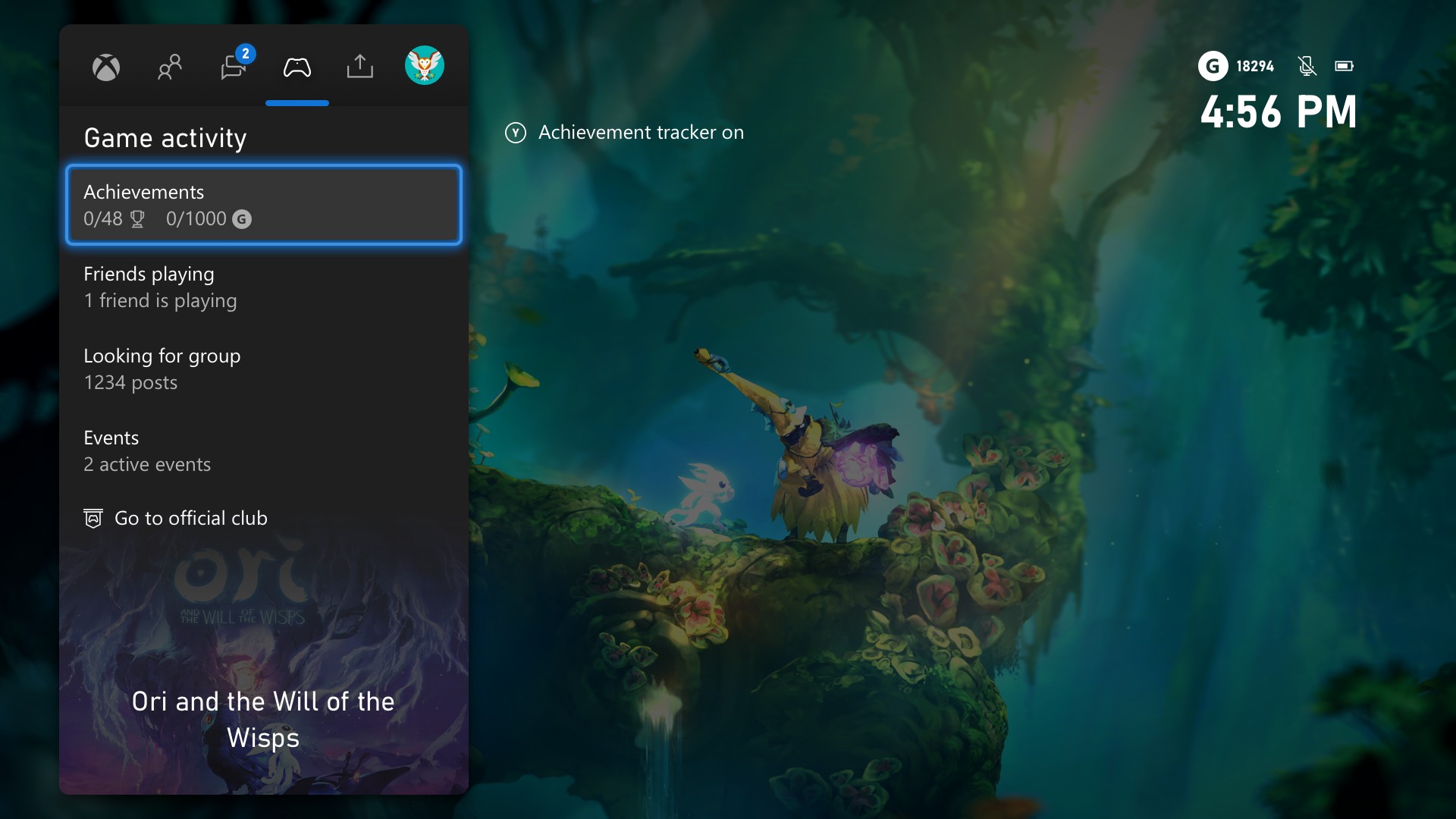
Check your achievement status in the Game Activity tab
The Game Activity tab is your single place in the guide to explore things to do in the game you’re currently playing. Hunt those achievements, easily join your friends or others playing the game, or discover in-game events, right from the comfort of the guide!
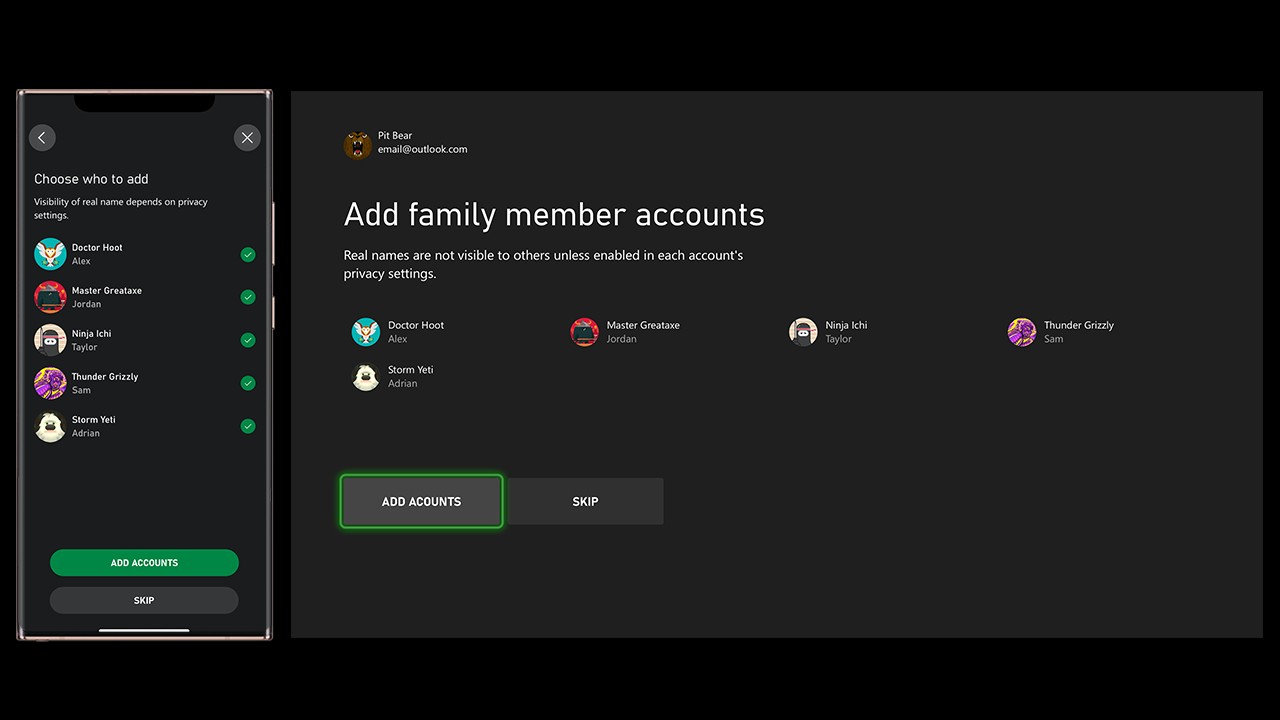
Add family member accounts during setup
In September we launched the Xbox Family Settings app on Android and iOS. Right from their phone, parents and caregivers can easily create child accounts, update screen time limits, respond to notifications, and much more. As a result, many gamers are already using family settings on Xbox today. And, those gamers with existing Xbox families will now be able to add family members to their console, right from setup.
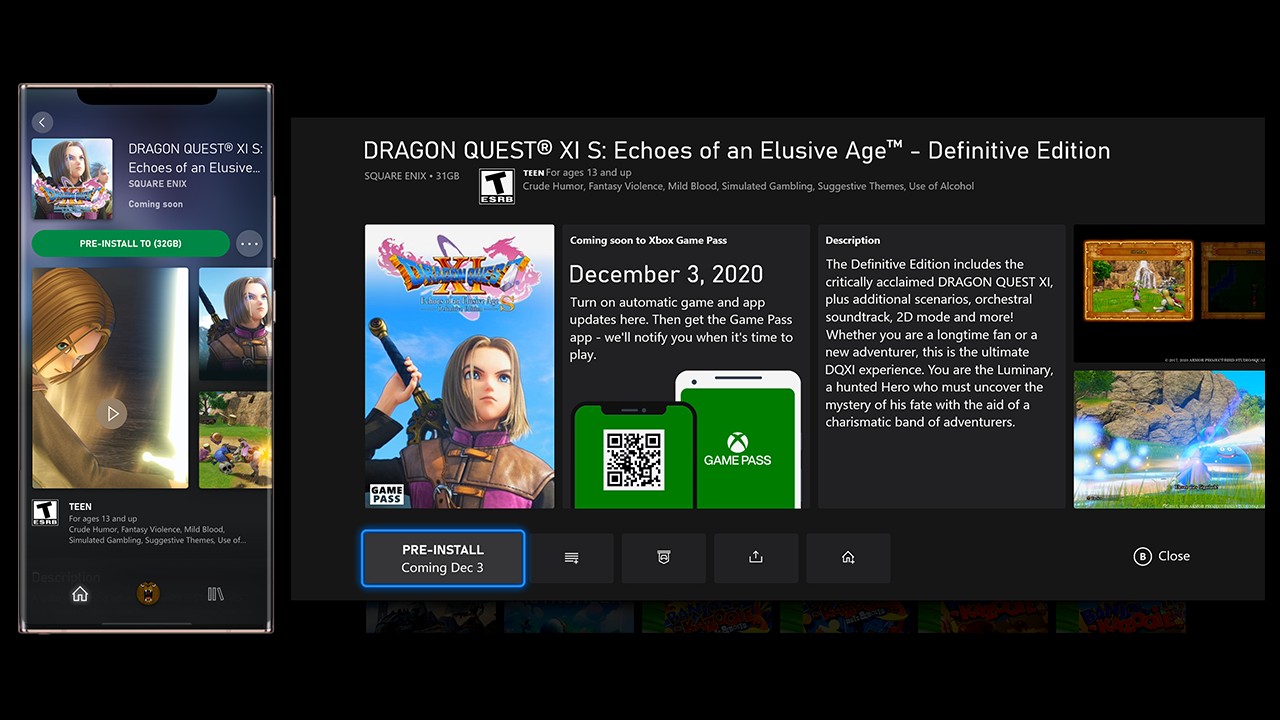
Pre-install games that are “Coming soon” to Xbox Game Pass!
You can now view, add to “Play later,” and even pre-install certain games before they come to Xbox Game Pass. Just head over to the Xbox Game Pass app on your console or mobile device and look for the “Coming soon” section. While not all games that are “Coming soon” can be pre-installed, we did develop a special feature for the Game Pass mobile app that lets you queue the rest to install on day one. Though you’ll still have to wait to play them like everyone else, your game can be downloaded and ready to play the day it’s available!
Xbox Insider Program – Enroll your Xbox Series X|S consoles today!
Our community of over two million Xbox Insiders makes a huge difference in our ability to create products our fans love. We’d like to invite new Xbox Series X|S owners to participate in the Xbox Update Preview program too! Head here for more details.
A life-long and avid gamer, William D'Angelo was first introduced to VGChartz in 2007. After years of supporting the site, he was brought on in 2010 as a junior analyst, working his way up to lead analyst in 2012. He has expanded his involvement in the gaming community by producing content on his own YouTube channel and Twitch channel dedicated to gaming Let's Plays and tutorials. You can contact the author at wdangelo@vgchartz.com or on Twitter @TrunksWD.