


Cyberpunk 2077 Update 2.1 Adds a Metro System, Improved Boss Fights, and More - News
by William D'Angelo , posted on 01 December 2023 / 7,004 Views
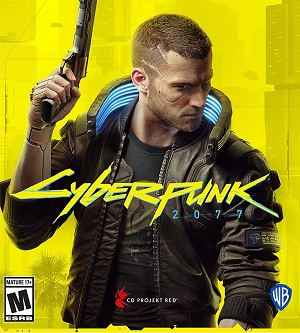
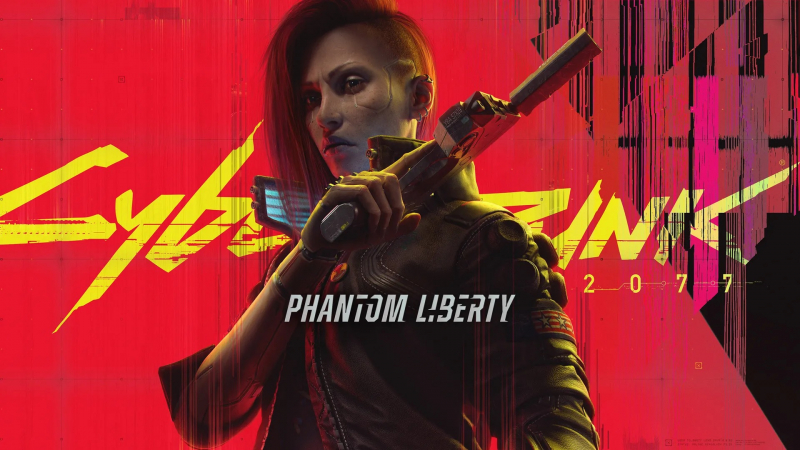
CD Projekt Red has outlined the changes coming to Cyberpunk 2077 in Update 2.1.
The update is adding a metro system, the ability to listen to the radio while exploring Night City on foot or riding the metro, improved boss fights, new vehicles, new accessibility features, and more.
Read the details on Update 2.1 for Cyberpunk 2077 below:
Travel by NCART metro
Travel around Night City with ease thanks to Night City Area Rapid Transport metro services. Stop worrying about the traffic and enjoy the view thanks to the 5 metro lines stopping on a total of 19 stations spread throughout the city. Service available only after V receives the text message from NCART.
Radio on the go
This one is for all of the travelling audiophiles in our community! We’ve added a radioport that allows V to listen to the radio while exploring Night City on foot or riding the metro. It comes with adjustable volume and it will automatically turn off when game audio is crucial — for example during conversations.
Improved boss fights
We’ve introduced a number of improvements to boss fights, most notably to the one with Adam Smasher. It is now more iconic, as Smasher will better adapt to the tactics used by players, will be much more relentless and will use Sandevistan — much like he was in Cyberpunk: Edgerunners.
Attention all petrolhe…
We’ve got a lot of new stuff for all motoring enthusiasts out there!
- New vehicles, including new motorbikes and a real classic: a cabriolet version of Porsche 911!
- Replayable car races, available after the race with Claire is finished.
- More immersive motorbike riding — including ability to throw knives while riding, leaning, doing wheelies and even flips!
- New car chases — if you mess with the gangs while doing gigs, they might hunt you down later!
- Newly opened highway.
Read details on the accessibility features below:
In Update 2.1, we will add a new "Accessibility" tab to the game's settings where players can easily access all of the game's accessibility options. Below, you will find a list of all the new features that you’ll be able to find in this new section. First, the features currently available in the game with Patch 2.02. Then, the options that will be included in Cyberpunk 2077 and Phantom Liberty with Update 2.1. Please keep in mind that the new tab will only be available from Update 2.1.
Colorblind Modes
There are three colorblind options available:
- Protanopia
- Deuteranopia
- Tritanopia
Subtitles
Players can enable cinematic, radio, and overhead subtitles. Cinematic subtitles display voiceover subtitles at the bottom of the screen, while overhead subtitles display background conversations above NPCs' heads.
Text Size and Overhead Text Size
This option allows players to adjust the size of the cinematic, radio, and overhead subtitles for improved readability. Players have six size options available for text size and five options for overhead subtitles — ranging from size 32 to 62.
Background Opacity
A slider that can adjust the background opacity of cinematic subtitles, improving subtitle visibility.
Aim Assist
This setting enhances how much the game assists the player while aiming. There are three separate settings for aim assist: aim assist for melee combat, vehicle combat, and ranged combat.
Levels:
- Ranged combat: off, light, standard, and substantial.
- Melee combat: off, light, standard.
- Vehicle combat: on and off toggle.
Snap to Target
A toggle that allows target snapping when aiming with firearms.
Additive Camera Motions
This setting reduces the amount of secondary camera movements, which may help players who experience motion sickness.
Weapon Sway
A toggle that determines whether the weapon sway while aiming is applied to the camera or the weapon’s position
Controller vibration
Allows players to adjust the vibration level of their controller.
Center of Screen Dot Overlay
When turned on, this toggle adds a dot in the center of the screen to help prevent motion sickness.
User Interface Haptic Feedback
A toggle to disable haptic feedback when interacting with the user interface
Features coming with Update 2.1
Larger Fonts
A toggle that changes certain font sizes in the user interface. This change will primarily affect:
- Most of the tooltips
- Most settings screens
- Loading screen tips
- Some elements on the load and save menus
- Button hints at the right bottom of the screen
- Category names in the inventory
- HUB menu – including the available numbers and text above the skill/attribute button
- Database Entries
- Small adjustments in the journal
- Adjustments on the crafting/upgrading panels
- Stats
- Small adjustments to the scanner.
- Number of available items on the wardrobe
- Number of crafting components in the backpack
- Numbers of items – including consumables, food, and drinks.
Hacking Minigame Time Limit
Removes the timer in the Breach Protocol minigame.
Larger HUD Elements
A toggle that increases the size of the HUD to make it larger for improved readability.
Remove HUD Visual Effects
Removes the chromatic aberration effect, also known as "ghosting," in the HUD. This effect can primarily be seen on the minimap, tracked quest, current weapon, available equipment, and items.
Reduce HUD Decorative Elements
This option hides elements unnecessary for gameplay from the HUD to reduce clutter and improve visibility.
Remove HUD Lens Distortion
Disables the lens distortion effect from the HUD. This primarily affects the settings menu and the minimap.
Weapon Cycling to Arm Cyberware
An option that can enable or disable cycling to arm cyberware when cycling through equipped weapons.
Adaptive Triggers and Trigger Effect Intensity
A toggle that can disable the adaptive triggers on the DualSense controller and a slider to control its intensity.
A life-long and avid gamer, William D'Angelo was first introduced to VGChartz in 2007. After years of supporting the site, he was brought on in 2010 as a junior analyst, working his way up to lead analyst in 2012 and taking over the hardware estimates in 2017. He has expanded his involvement in the gaming community by producing content on his own YouTube channel and Twitch channel. You can contact the author on Twitter @TrunksWD.
More Articles
Well, after 3 years, they finally got it right.
better than 10 years for skyrim

a game from Disaster to Triumph...

how is this game doing today?

Great. More incentive to replay later :)

This game is still on my backlog and, having watched Edgerunners, I do not look forward to fighting Adam Smasher using his Sandevistan.