



Bethesda.net Launcher Migration to Steam Starts on April 27 - News
by William D'Angelo , posted on 14 April 2022 / 2,361 Views
Bethesda Softworks earlier this year announced it will be shutting down the Bethesda.net launcher later this year. Bethesda.net launcher players will be able to migrate their games and Wallet to their Steam account.
The publisher has now revealed Bethesda.net launcher players will be able to start the migration process on April 27.
Read an FAQ via Bethesda below:
A: We encourage our Bethesda.net Launcher community to continue their experience on Steam. On April 27, you will be able to migrate your Bethesda.net library to your Steam account. Any title you own on the Bethesda.net Launcher will be available to you free on Steam. Your purchases will carry over to your Steam account. Many game saves will also transfer, however some may require manual copying. For more information on which games will require you to manually move your saves, please see our FAQ Entry "What happens to my game progression and saves?".
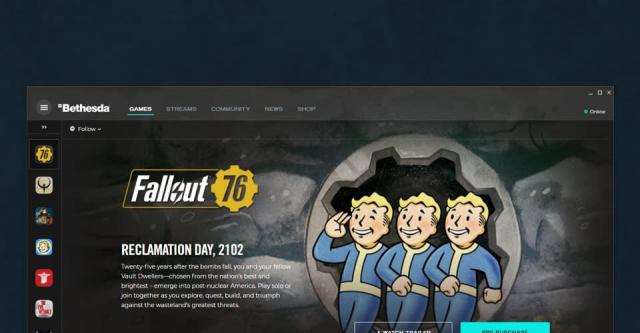
A: You will continue to have access to the Bethesda.net Launcher and access your games until May 11. Starting on May 11, you will no longer be able to play and access your games within the Bethesda.net Launcher.
A: Yes. Many of our games and services still rely on you to have a Bethesda.net account. This will allow you to retain access to Bethesda.net services including game mods, in-game items like skins, and access to exclusive news and updates.
A: Yes. You will need to take the steps to transfer your Bethesda.net account info to your Steam account. Once the migration process to Steam is available, we will let everyone know and update this FAQ with the link on where and how to migrate. Please note, that you may begin this process at any time after it becomes available, but on May 11 you will no longer be able to play your purchased games on the Bethesda.net launcher. You will not lose access to your Library on Bethesda.net on May 11, only the ability to play them on the Launcher.
A: Should you choose to transfer your Bethesda.net library to your Steam account, we will provide instructions on how to migrate your game progression and saves over to your Steam account where possible, so you may continue playing where you left off. Some saves will automatically transfer, however some will require you to manually copy them to your Steam folder. We will have more information on manually transferring saves soon. At this time, we expect almost all save progress to be transferable automatically or manually with the exception of Wolfenstein: Youngblood, which currently is unable to transfer.
A: Yes. Your Bethesda.net Wallet will transfer over to Steam once you have completed the transfer process.
A: No. We are only able to support transferring your Bethesda.net account information on PC. We cannot transfer PC account information to consoles.
A: No. We are only able to support transferring account information from the Bethesda.net launcher to Steam.
A: No. You will still need to login to your Bethesda.net account to play our live titles such as Fallout 76 and access other services offered. Our games will continue to use a Bethesda.net account in the future.
A: We have updated our FAQ for Fallout 76 to provide further details in this FAQ on Fallout.com.
A: Yes.
A: Games that have the Bethesda.net Friends List will be merged after migration. This includes Fallout 76, DOOM Eternal, Wolfenstein: Youngblood, The Elder Scrolls: Legends, Rage 2, and DEATHLOOP.
A: No. The Elder Scrolls Online is unaffected by this change.
A: No. You will still retain access to your games and be able to migrate your Bethesda.net Library after the Launcher becomes inactive.
A: Bethesda.net keycodes will be honored on Steam when migration becomes available.
A: With the sunsetting of the Bethesda.net Launcher, we will be making several of our titles available on Steam that were previously unavailable. This includes The Elder Scrolls Arena, The Elder Scrolls Daggerfall, Creation Kit for Fallout 4 and Skyrim Special Edition, and Wolfenstein: Enemy Territory. The Fallout 76 Public Test Server (PTS) is currently available on Steam as well.
A life-long and avid gamer, William D'Angelo was first introduced to VGChartz in 2007. After years of supporting the site, he was brought on in 2010 as a junior analyst, working his way up to lead analyst in 2012. He has expanded his involvement in the gaming community by producing content on his own YouTube channel and Twitch channel dedicated to gaming Let's Plays and tutorials. You can contact the author at wdangelo@vgchartz.com or on Twitter @TrunksWD.
More Articles

Finally, Bethesda themselves realized that their launcher is complete shit.
Finally now I can get Daggerfall on steam

Wonder if Moneysoft will look at buying Steam.......if you can't beat them, buy them.

It's interesting to me that they migrated everybody to Steam, rather than the MS launcher.



Great news, thank you MS.
I forgot Bethesda launcher was a thing lol