


Xbox April Update Adds Game Hubs on PC, Adds Discord Functions on Consoles - News
by William D'Angelo , posted on 11 April 2024 / 3,087 Views
Microsoft and Xbox have announced the April update for Xbox has begun rolling out.
The update adds game hubs and new sub-navigation menu options for the Xbox app on PC, and adds new Discord functionality on Xbox consoles.
Read the Xbox Wire post on the update below:
PC Gaming | Xbox app on PC experience updates
Game hubs are now available for all PC players
Back in February, we announced that our team had started rolling out game hubs for our PC players to connect even more with their favorite games.
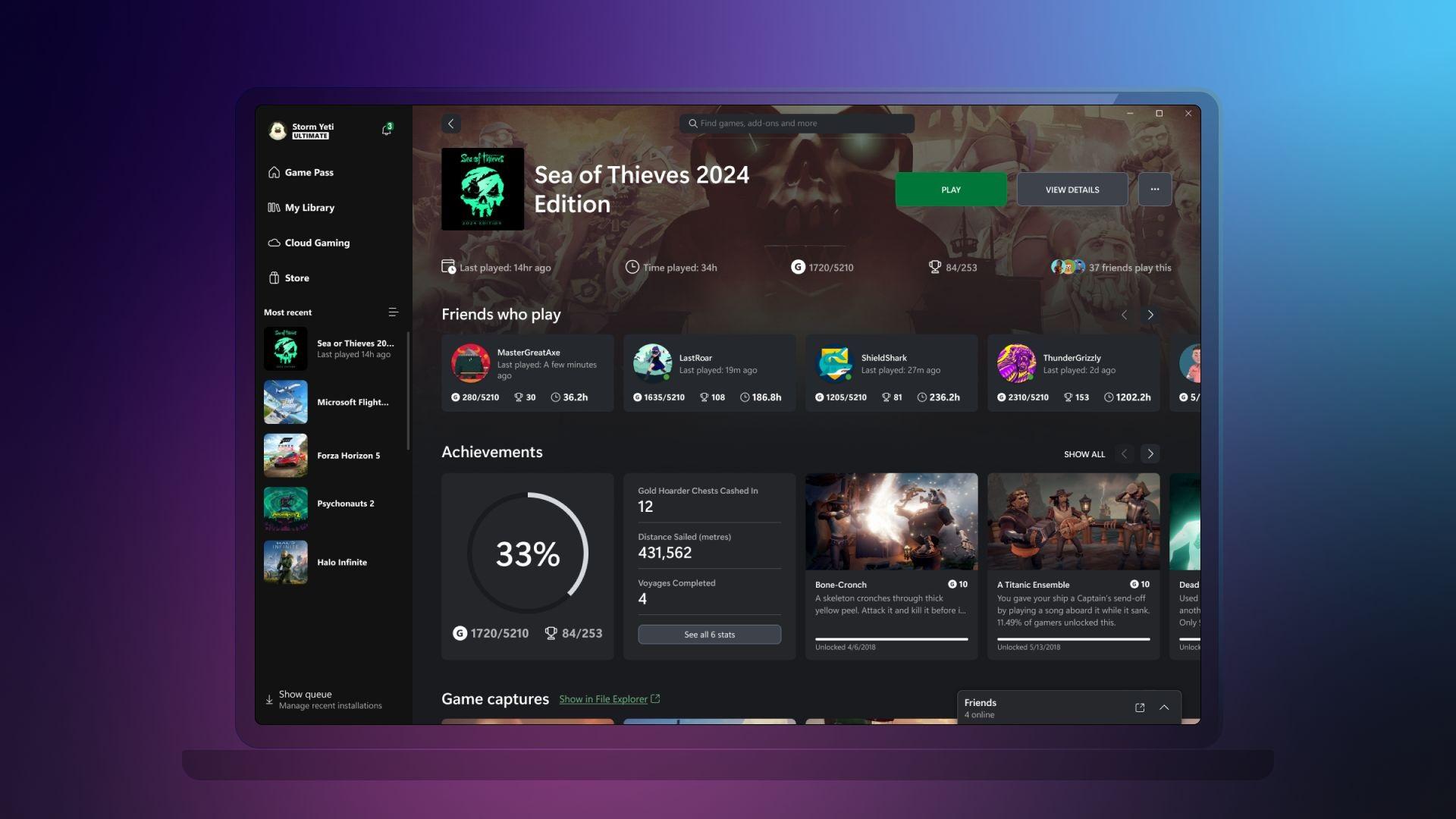
Today, we’re excited to share that all PC players can now enjoy game hubs inside the Xbox app on PC. Navigate to any game in your library or in the sidebar to track your progress, discover the latest content and add-ons, connect and compete with your friends, and get the latest news from developers.
With this official rollout of game hubs to all players on the Xbox app, we’re also bringing back a fan-favorite feature: game captures. Any game clip or screenshots you’ve captured through Game Bar for a specific game will now be displayed in its respective game hub and locally stored on your PC. You can browse your captures in the app, copy them to the clipboard for easy sharing, or quickly jump to the file location. You can learn more about game captures here.
We’re just getting started with game hubs and can’t wait to share new improvements with future updates.
New sub-navigation menu options for the Xbox app on PC are starting to roll out
We have started previewing a new sub-navigation experience under the “What’s Happening” section of the Game Pass tab in the Xbox app on PC with a subset of players and with all Xbox Insiders. To learn more about the changes you may see when you access the Xbox app on PC, click here.
Xbox console experience updates
The Xbox April console update is starting to roll out
Starting today, the Xbox April update will be rolling out to all consoles.
If you’re using Discord Voice on your console, you’ll now be able to hear soundboard audio from others in the channel or call. If you don’t want to hear these sounds, a mute button for soundboard audio can be found in the Discord Voice options: Open the guide and go to Options > Mute soundboard.
Do you save your favorite gaming moments as game captures? If you’re using OneDrive to back up your game captures and clips, now, when you upload a game capture, you’ll get a notification on your console letting you know if you’re running low on space.
Also, we’ve added a new control on your consoles so you can block whether users on your device can install or uninstall games and apps. You can enable access restrictions with a “guest pin” and disable these new controls when a game or app install or uninstall happens. Your guest will be prompted for the “guest pin” to complete the activity. To view and adjust the new options, navigate to Settings > System > Access restrictions.
A life-long and avid gamer, William D'Angelo was first introduced to VGChartz in 2007. After years of supporting the site, he was brought on in 2010 as a junior analyst, working his way up to lead analyst in 2012 and taking over the hardware estimates in 2017. He has expanded his involvement in the gaming community by producing content on his own YouTube channel and Twitch channel. You can contact the author on Twitter @TrunksWD.