



PS5 System Update Adds Dolby Atmos, New Accessibility Features, Support for Larger SSDs, and More - News
by William D'Angelo , posted on 01 August 2023 / 2,558 Views
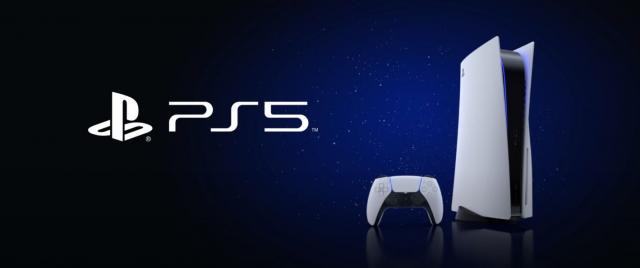
Sony Interactive Entertainment have announced a new PlayStation 5 system update beta has begun rolling out today.
The update adds new accessibility features, Dolby Atmos support, social feature enhancements, new ease-of-use features, and support for larger-capacity M.2 SSDs.
Read details on the PS5 system update below:
New Accessibility Features
Use a Second Controller for Assistance. You can now assign a second controller to one account as an assist controller, and use two controllers to operate your PS5 console as if you were using a single controller. This feature introduces a new way for you to enjoy games collaboratively with others or help a friend or child navigate a particularly challenging section of a game.
- To use an assist controller, go to [Settings] > [Accessibility] > [Controllers] > [Use Second Controller for Assistance], and then turn on [Use Assist Controller].
- You can use an assist controller when your main controller is a DualSense or DualSense Edge wireless controller, or a PS5-supported third-party controller.**
System UI Haptic Feedback. You now have the option to turn on haptic feedback effects while navigating your PS5 with your DualSense controller, DualSense Edge controller, or PS VR2 Sense controller.
- When enabled, system sound effects for certain events will also be reflected physically through haptics, such as moving focus, reaching the end limit of a scrollable section, checking a box, or when you receive a notification or boot up a game. This optional feature enhances immersion and is particularly useful for players with some level of sight or hearing disability, who appreciate the additional feedback on their inputs.
- To turn on this feature, go to [Settings] > [Accessibility] > [Controllers], and then turn on [Haptic Feedback During Console Navigation].
Support for compatible Dolby Atmos-enabled audio devices
3D Audio powered by Tempest 3D AudioTech can now be enjoyed by those who own compatible Dolby Atmos-enabled HDMI devices such as soundbars, TVs or home theater systems. Tempest 3D AudioTech specifically renders to the Dolby Atmos audio devices in use – including overhead channels – allowing for even greater levels of immersion in the audioscapes of PS5 games. ***
- To turn on Dolby Atmos, go to [Settings] > [Sound] > [Audio Output] > [Audio Format (Priority)], and then select [Dolby Atmos].
Social feature enhancements
Party UI update. You can now invite a player into a closed party without automatically adding the player into the group or creating a new group. Additionally, players can now send open or closed party invitations to groups instead of only individual players.
Share Screen Preview. When someone’s sharing their screen in a party that you can join, you’ll now see a preview image of their Share Screen, even before you enter the party.
Join friends’ game sessions easily. You can now easily see which of your friends are in an activity you can join under the [Friends] tab.
- The Joinable icon will be displayed next to friends who are playing a game you can join.
- You can join a friend’s game directly by pressing the options button and selecting [Join Game], or by selecting the ”Join” button on their profile card.
Game Hub tournaments tile. In the game hub, you can now see how many tournaments you’ve entered and the highest place you’ve achieved, as well as the start time for the next tournament. You can select the tile to see the full tournament list.
React to messages with emojis. You can now add reactions to messages with emojis, which makes communicating with friends quicker and easier.
Ease-of-use features
Search for games in your library. You can now search for games within your game library.
Game Help improvements. Game Help cards have been improved.****
- In addition to in-progress activities, you can now see available, previously available, upcoming, and completed activities.
- When a card is selected, its details are now displayed on the right side of the card, making it easier to find objectives and their corresponding hints.
Discover new features. Browse useful tips for getting the most out of your PS5 and learn about new features in the new Discover Tips section.
- Go to [Settings] > [Guide & Tips, Health & Safety, and Other Information] > [Guide and Tips], and then select [Discover Tips] to view all the tips.
Mute PS5 beep sound. You can now mute or adjust the volume of the PS5’s beep sound when turning it on or off, or putting it in rest mode.
- Go to [Settings] > [System] > [Beep Sound].
- To adjust the beep sound volume, select [Volume].
- To mute the beep sound, turn on [Mute Beep Sound].
Support for larger-capacity M.2 SSDs
You can now use an M.2 SSD with a maximum capacity of 8TB (up from the previous 4TB limit) to expand storage space on your PS5 console.
A life-long and avid gamer, William D'Angelo was first introduced to VGChartz in 2007. After years of supporting the site, he was brought on in 2010 as a junior analyst, working his way up to lead analyst in 2012 and taking over the hardware estimates in 2017. He has expanded his involvement in the gaming community by producing content on his own YouTube channel and Twitch channel. You can contact the author on Twitter @TrunksWD.
More Articles

I just got my beta code. So I'm checking out these settings. Haptic feedbacks on the menu stuff is interesting. Probably really helpful for blind or near blind. You feel each option as you click down and it vibrates harder when you can't go lower or higher anymore.
Anyone know a good way to check the dolby atmos? I can't name any Dolby atmos games on Playstation.

It doesn't sound like actually dolby atmos support which would need an atmos license like xbox and windows. it allows you to use sony's 3d audio with soundbars and av recievers that support atmos.
The SSD expansion is going to be HUGE for a lot of people.