





Final Fantasy XVI Update 1.03 Out Now - News
by William D'Angelo , posted on 05 July 2023 / 3,842 Views
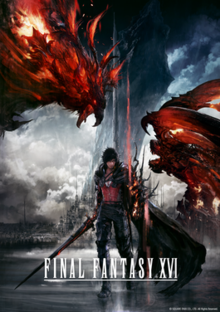
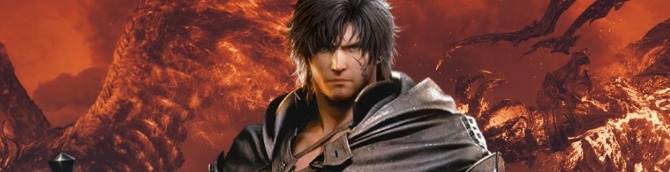
Square Enix has released update 1.03 for Final Fantasy XVI. The update "fixes some issues and adds some new functionality. We recommend that you install this update before playing the game."
Read the patch notes below:
- Adds the following items to the System tab of the Main Menu:
- Motion Blur Strength – Allows the player to adjust the strength of the motion blur effect when the character or camera is in motion. The default setting is the maximum of 5. This can be lowered to reduce the strength of the motion blur effect, or set to 0 to turn it off completely.
- Player Follow (Movement)
- Player Follow (Attack) – Turning these settings off prevents the camera from automatically following the player while moving and attacking respectively.
- Changes the maximum setting of the Camera Sensitivity (Horizontal) and Camera Sensitivity (Vertical) items from 10 to 20.
- Adds three new controller layouts: types D, E, and F.
- Corrects an issue that affected the stability of some menus.
- Corrects some text issues.
- Adds the hashtag #FF16 when sharing screenshots or video clips on Twitter or YouTube.
Final Fantasy XVI is available now for the PlayStation 5.
Announcing the release of update 1.03 which makes a number of improvements to Final Fantasy XVI. #FF16 pic.twitter.com/BBkwlQsIVm
— FINAL FANTASY XVI (@finalfantasyxvi) July 6, 2023
A life-long and avid gamer, William D'Angelo was first introduced to VGChartz in 2007. After years of supporting the site, he was brought on in 2010 as a junior analyst, working his way up to lead analyst in 2012 and taking over the hardware estimates in 2017. He has expanded his involvement in the gaming community by producing content on his own YouTube channel and Twitch channel. You can contact the author on Twitter @TrunksWD.
More Articles

Curious about Adds three new controller layouts: types D, E, and F.
Although I have gotten used to R1 as dodge I would have preferred O i think.


Welp, they just need to work on the "performance mode" now because the fps are instable.
Just got a PS5 and currently playing through Ratchet first, but this is second on my list. Glad to see it's going to have a bit of "spit shine" by the time I start lol

It boggles my mind motion blur settings are not a standard in 2023, you have to wait 2 weeks for a patch after player backlash lol

I turn it off on every game.
Me too. There should always be an option for Motion Blur. But Square should have done more with this patch. What about vignette, chromatic abberation, depth of field settings etc?